

Table of contents
Access Your TeamScore Account
TeamScore uses your organization's existing sign-in system (Google Workspace or Microsoft 365). This keeps authentication simple, secure, and compliant with the policies you already rely on.
How to Log In
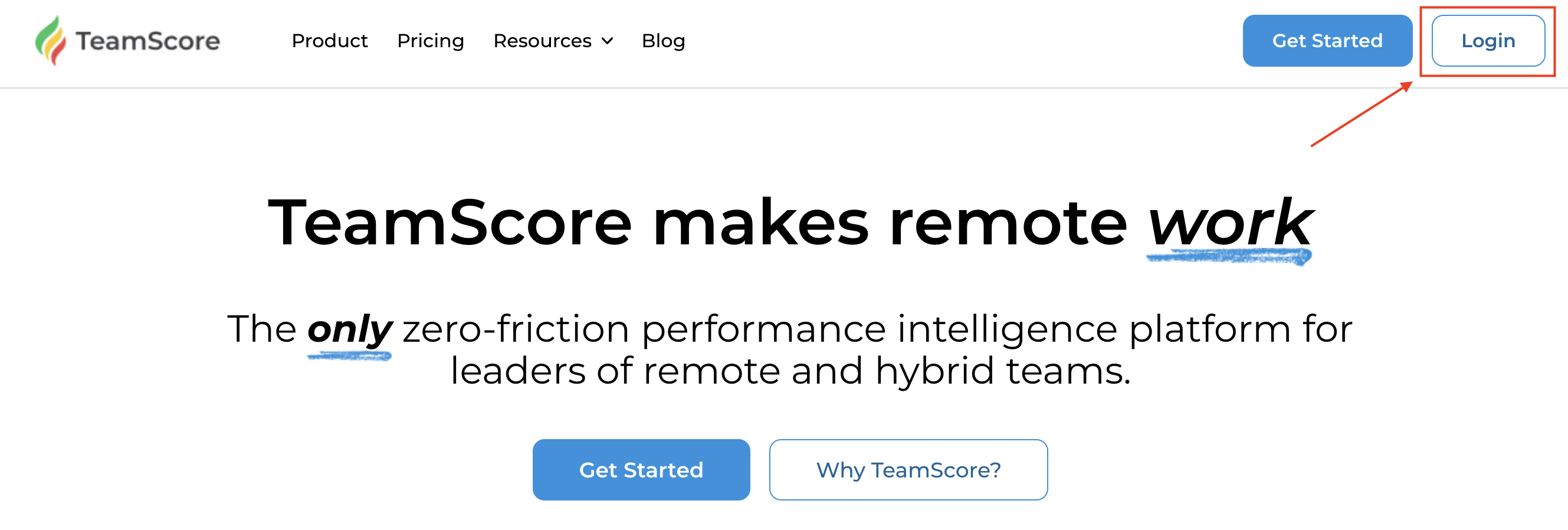
1. Go to app.teamscore.io or teamscore.io
2. Click Login
3. Select your Provider
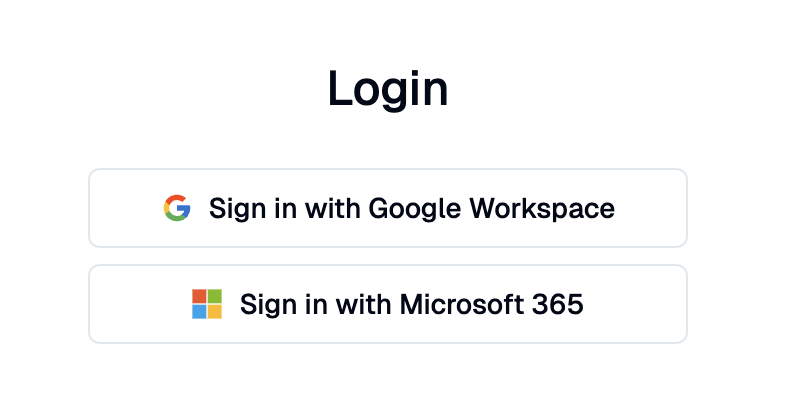
Choose your provider: Google Workspace or Microsoft 365. Select the option your company uses.
4. Complete the Sign-in Prompt
Use your work credentials. Once authenticated, you'll be returned to TeamScore automatically.
Login Requirements
TeamScore supports Google Workspace and Microsoft 365 accounts only.
We do not support standalone email/password accounts or third-party login methods.
This method ensures your account security by relying on your organization's trusted authentication policies.
If You Can’t Log in
1. Make sure you are using your company's Google or Microsoft account, not a personal one.
2. Ask your IT admin to confirm that your domain allows SSO access to TeamScore.
3. Still locked out? Click the Report a Bug bubble highlighted in the lower-left corner of the page.
Password Management
TeamScore does not store or manage passwords. If you need to reset your credentials, use your company's standard Google Workspace or Microsoft 365 password reset process. Once your identity provider updates your password, you can sign in to TeamScore immediately.
Next Steps
Once you're logged in, you will land on your TeamScore Dashboard — starting point for viewing user activity, schedules, and scores.
If you're an administrator setting up TeamScore for the first time, continue with Account Setup to configure your organization's defaults, regions, roles, and integrations.