

Table of contents
HubSpot can be connected directly from the Services section in TeamScore. Once connected, HubSpot begins sending events to TeamScore automatically, and TeamScore processes them into structured activities on the timeline.
TeamScore supports multiple HubSpot hubs (accounts). Each hub is treated as its own connection, and you can add more than one if your organization uses multiple HubSpot environments.
Step-by-Step Setup Instructions
Step 1 – Start the Connection in TeamScore
- Go to Services in the top navigation
- Find HubSpot in the list
- Click Connect HubSpot
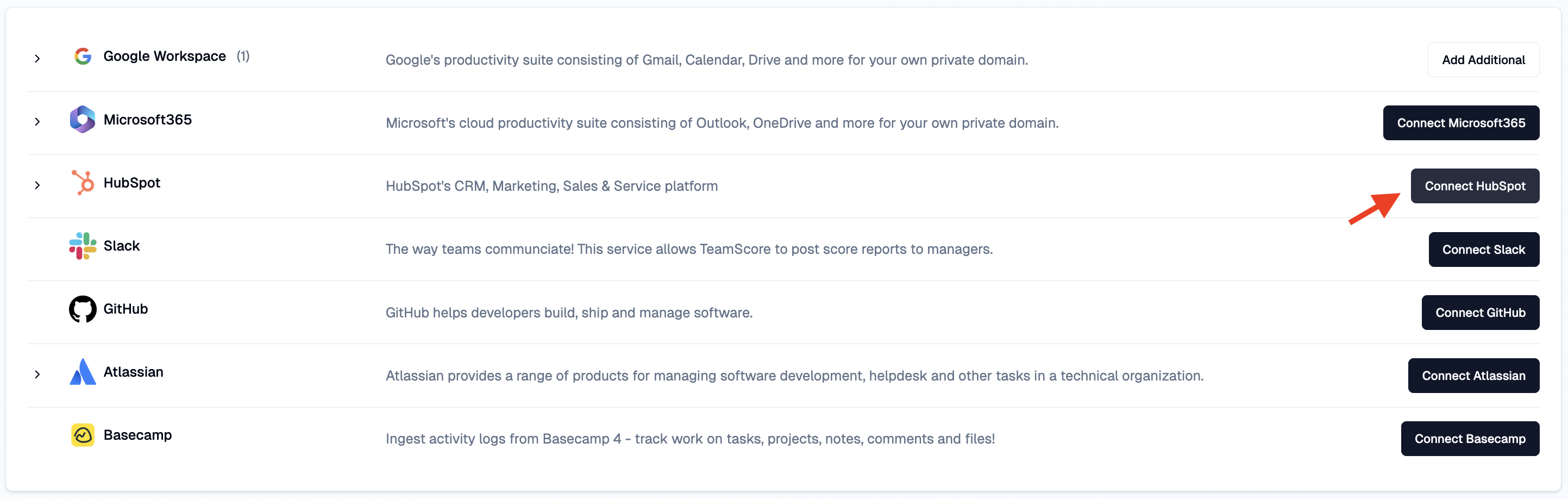
Only Admins, Owners, and Executives can initiate the HubSpot connections.
Step 2 – Authorize TeamScore in HubSpot
Upon clicking connect, you will be redirected to HubSpot to select the HubSpot account (hub ID) you want to connect. After you choose the appropriate hub, approve the requested permissions.
The HubSpot user authorizing the connection must have admin privileges in HubSpot. Without them, the connection cannot be completed.
You can always add more HubSpot accounts using the Add Additional button.

Step 3 – User Mapping
After the connection is established, TeamScore imports your HubSpot users and matches them to existing TeamScore users by email address.
If a HubSpot user is not automatically matched (e.g., mismatched email), you can connect them manually:
- Open the Users tab
- Click the + icon
- Select an unmapped HubSpot user from the dropdown
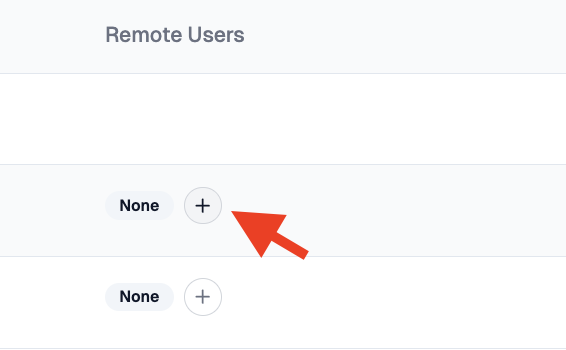
Each HubSpot user can only be mapped once. Subscriptions for sync are enabled by default. You can disable them for sensitive accounts.
What Happens Next
After the integration is connected, HubSpot will start sending events to TeamScore automatically.
New activity such as updates to contacts, companies, deals, or tickets will appear on the timeline within the next 20 minutes.
You can review mappings and feature settings anytime from the integration page.
For a platform-level explanation of HubSpot activity in TeamScore, see HubSpot Overview.